
How To Make Your Password Strong
How to Make Your Password Strong and Remember It
How to Make Your Password Strong and Remember It
Sick of trying to figure out your online passwords? Whichever sites you try and register with these days, you’re practically always met with, “be sure to use a strong password”. The trouble is, you can’t use anything that would be easy to guess. Ultimately, you create a random password, forget it and then have to start the process all over again.
What should be a simple task can be absolutely infuriating. So, how can you create a strong password and remember it? Here, you’ll discover some great tips you can follow.
What Is a Strong Password?
First, let’s look at what a strong password actually is. While the requirements vary between sites, you typically need to:
- Ensure you use a minimum character count
- Use a combination of letters and numbers
- Have at least one capital letter
- Use a special character
Not all sites require you to use a special character, but it’s worth adding one in so you can use the same password for multiple sites. But wait, isn’t using the same password for everything advised against? Well, it generally is, but using the same password helps you to remember it. The trick is to change the password frequently.
Tips for Creating a Strong Memorable Password
So, now you know what a strong password generally is, how can you create one you remember? The good news is there are lots of techniques you can follow.
Some experts recommend coming up with three or four random words and combining them together. That could be four words that mean something to you. Then, make sure the first letter of the password is capitalized and add a couple of numbers at the end. It would look something like this:
Thebeetlethatflew57
You can choose any four words you like. Many people find this an effective way to remember their strong passwords so it’s definitely worth trying.
Generally speaking, the longer you make your password, the harder it will be for fraudsters to hack. Try to create a password that contains no fewer than 15 characters. Use a mixture of characters too and avoid keeping a copy of your password on your computer.
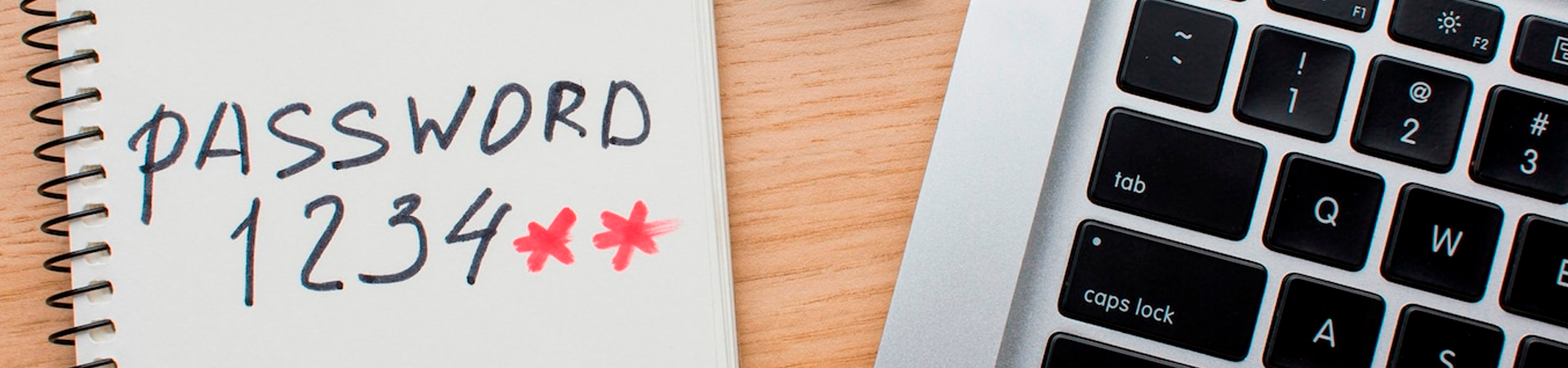
The main thing to remember is to avoid using anything too obvious. Don’t use the word “password” for example and avoid using your date of birth.
Take Advantage of Password Managers
If you still struggle to remember your passwords, it might be time to use a password manager. These store and remember your passwords for you and there are a lot of them out there. Make sure you’re choosing a reliable, trustworthy password manager, however. There are a lot of fake ones around so always use one by a brand you trust.
Creating a strong password that you remember doesn’t have to be overly difficult. The above are just some of the great tips you can follow. Ideally, you’ll want to change your password every few months too. This will make it really difficult for hackers to keep up.

Written by
Bruno Baldo
CMO
Um pouco de marketing e um pouco de curiosidade e temos a receita pra criar um apaixonado por cyber!
Cybersecurity Trends for Education Companies in 2025
The education sector is embracing digital transformation, but with innovation comes increased vulnerability. Cybersecurity trends in 2025 reflect the need for education companies to adopt advanced tec
Cybersecurity Trends for Financial Services in 2025
As financial services become increasingly digital, cyber threats grow in complexity. This pillar post explores the top cybersecurity trends reshaping the financial industry in 2025 and how organizatio

Cybersecurity Trends for Healthcare in 2025
Healthcare is at the forefront of digital transformation, but with innovation comes an expanded attack surface. Cybersecurity trends in 2025 reflect the need for healthcare organizations to adopt adva